> ## Documentation Index
> Fetch the complete documentation index at: https://docs.automatebusiness.com/llms.txt
> Use this file to discover all available pages before exploring further.
# Authentication
> Learn how to generate and use your secret API key.
All Automate Chats API requests require a secret API key for authentication. This key identifies your account and ensures that only authorized systems can send messages on your behalf.
## Generating an API Key
Follow these steps to create your first API key.
Log in to your dashboard and click on **More** in the top navigation bar.
From the dropdown menu, select **Webhook & API**. 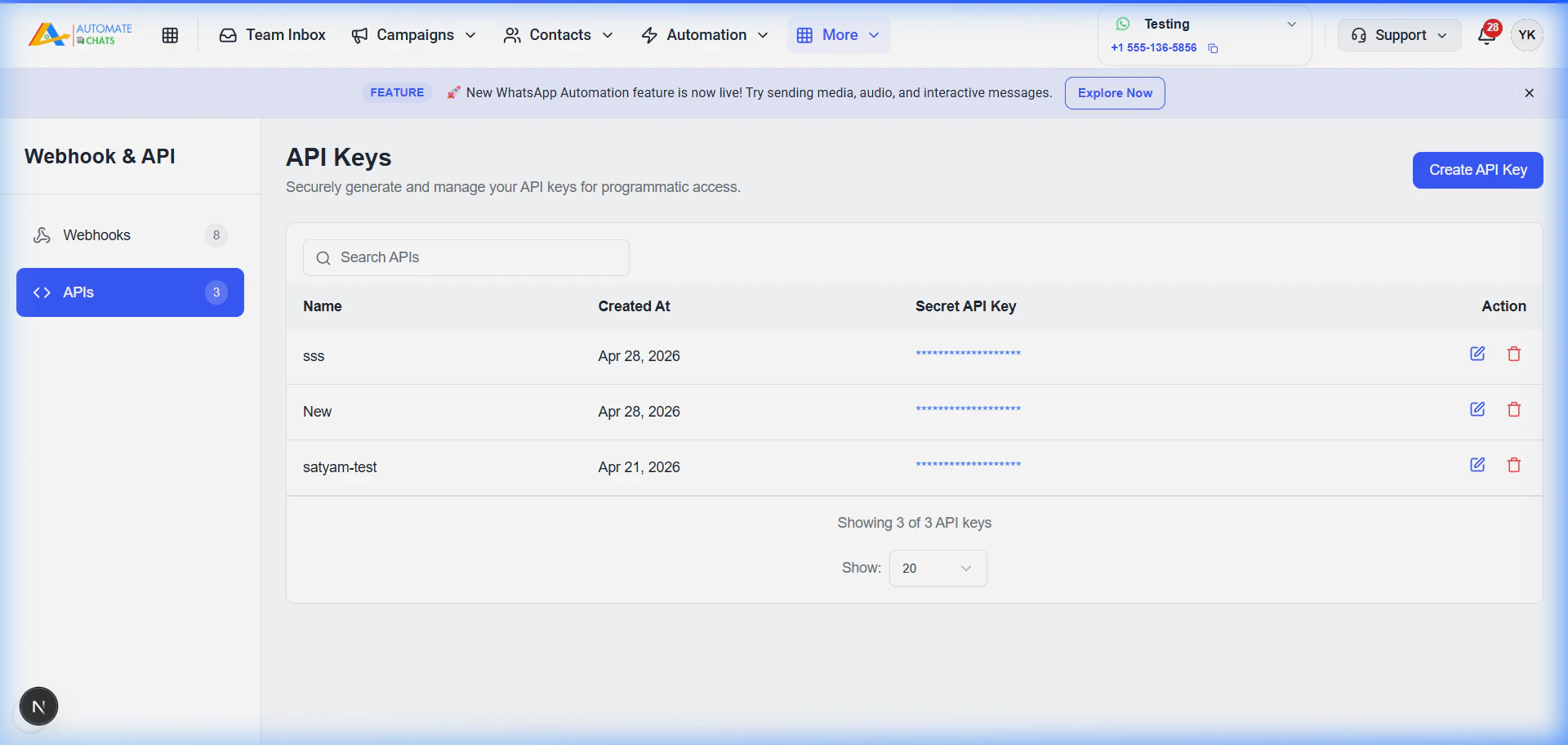 Click on the **APIs** tab in the sidebar and then click the **Create API Key** button.
Enter a name for your key (e.g., "Automate CRM Integration") and click **Save**.
Click on the **APIs** tab in the sidebar and then click the **Create API Key** button.
Enter a name for your key (e.g., "Automate CRM Integration") and click **Save**. 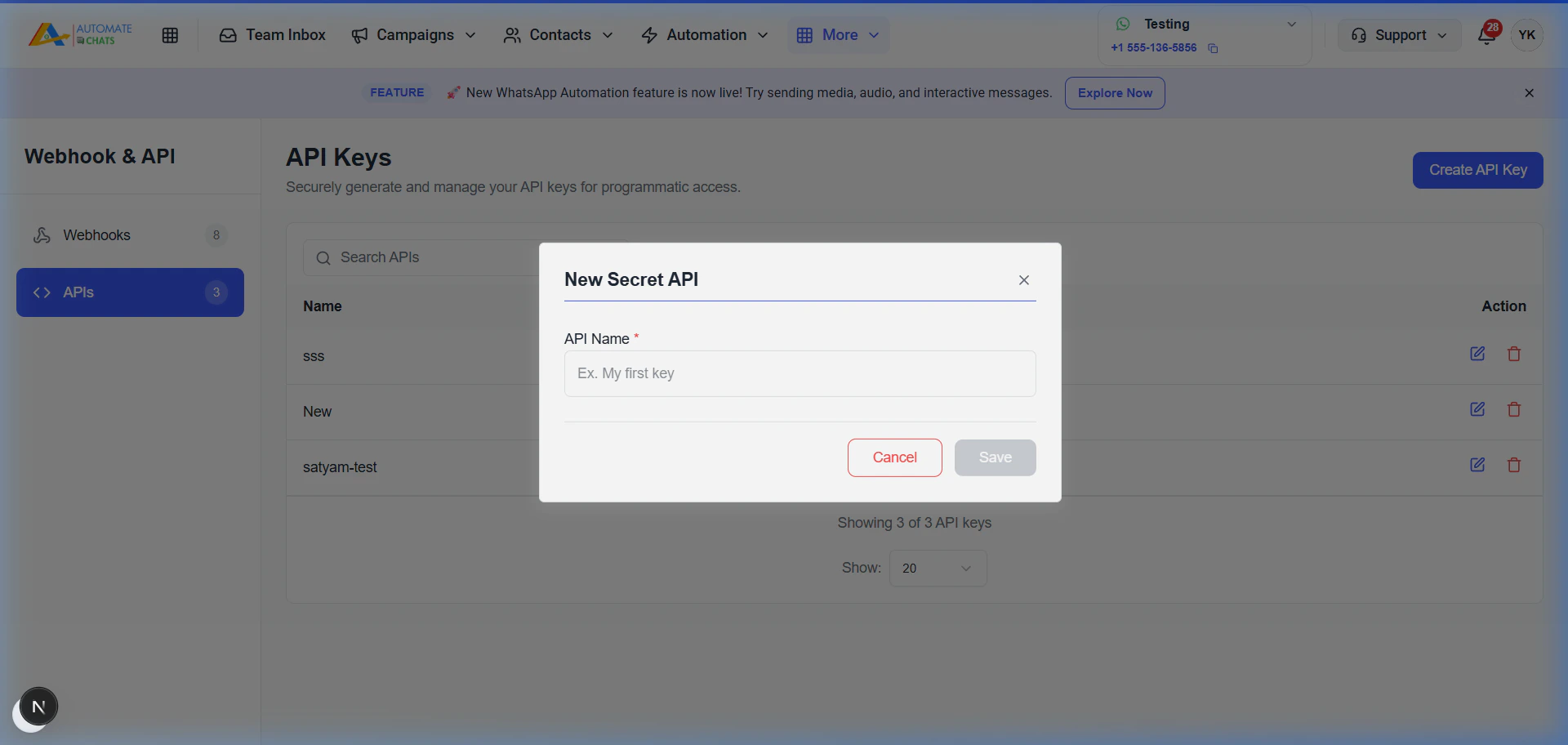 Copy the generated secret immediately. **For security reasons, it will not be shown again.**
## Using the API Key
Include your secret key in the `X-API-Key` header of all your HTTP requests.
### Example Request
```bash cURL theme={null}
curl --request GET \
--url https://api.automatechats.com/api/templates/approved \
--header 'X-API-Key: YOUR_API_KEY'
```
```javascript Node.js theme={null}
const options = {
method: 'GET',
headers: {
'X-API-Key': 'YOUR_API_KEY',
'Content-Type': 'application/json'
}
};
fetch('https://api.automatechats.com/api/templates/approved', options)
.then(response => response.json())
.then(response => console.log(response))
.catch(err => console.error(err));
```
**Security Warning:** Never share your API key or commit it to public repositories. If your key is compromised, delete it immediately from the dashboard and generate a new one.
Copy the generated secret immediately. **For security reasons, it will not be shown again.**
## Using the API Key
Include your secret key in the `X-API-Key` header of all your HTTP requests.
### Example Request
```bash cURL theme={null}
curl --request GET \
--url https://api.automatechats.com/api/templates/approved \
--header 'X-API-Key: YOUR_API_KEY'
```
```javascript Node.js theme={null}
const options = {
method: 'GET',
headers: {
'X-API-Key': 'YOUR_API_KEY',
'Content-Type': 'application/json'
}
};
fetch('https://api.automatechats.com/api/templates/approved', options)
.then(response => response.json())
.then(response => console.log(response))
.catch(err => console.error(err));
```
**Security Warning:** Never share your API key or commit it to public repositories. If your key is compromised, delete it immediately from the dashboard and generate a new one.