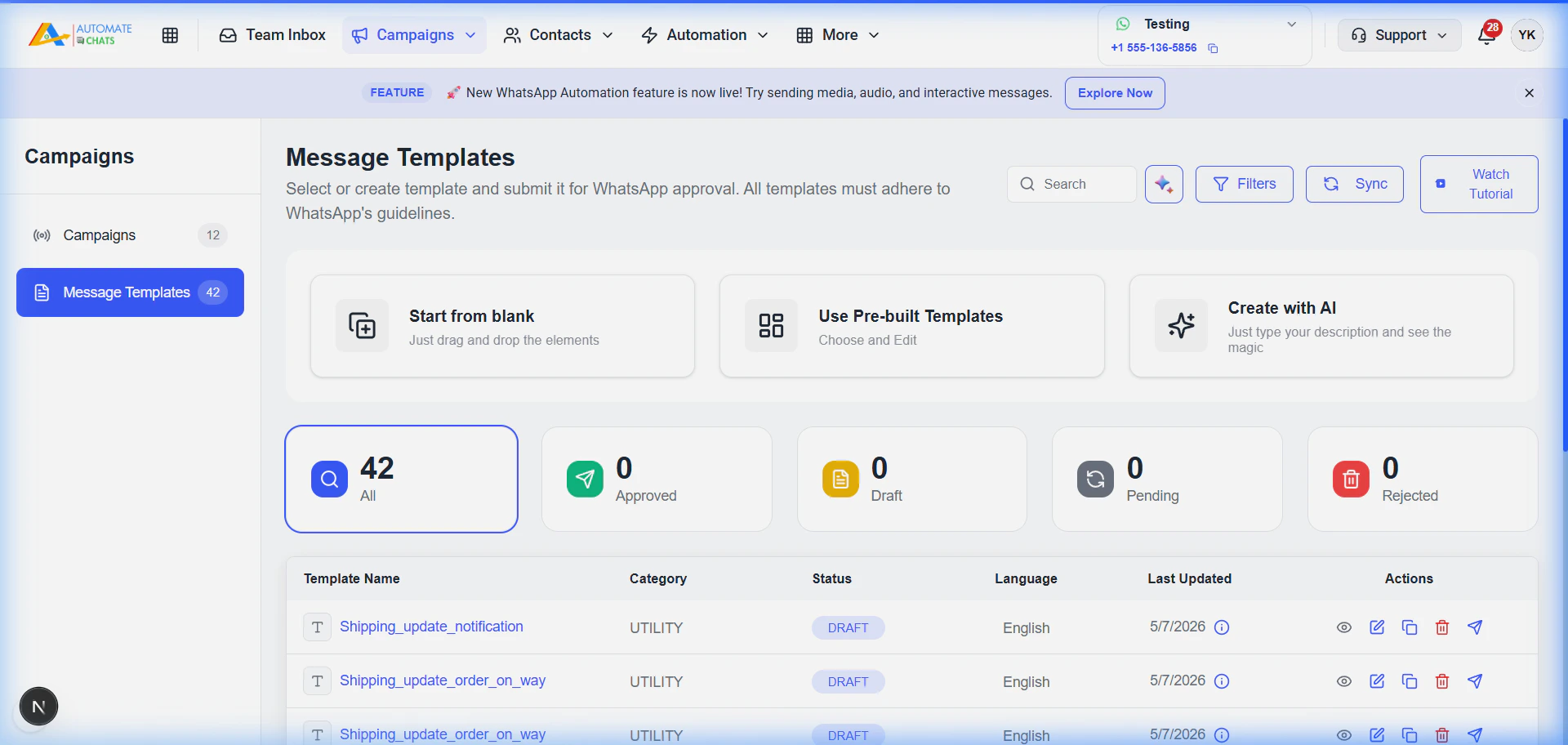
Template Management
In the Campaigns > Message Templates section, you can:- Sync Templates: Pull the latest approved templates from your WhatsApp Business account.
- Create New Templates: Design templates with text, media headers, and interactive buttons.
- Track Status: Monitor whether your templates are
PENDING,APPROVED, orREJECTED.
Using Templates in Chats
When chatting in the Team Inbox, click the Template icon to select from your list of approved templates. The system will automatically prompt you to fill in any dynamic variables.