
Key concepts
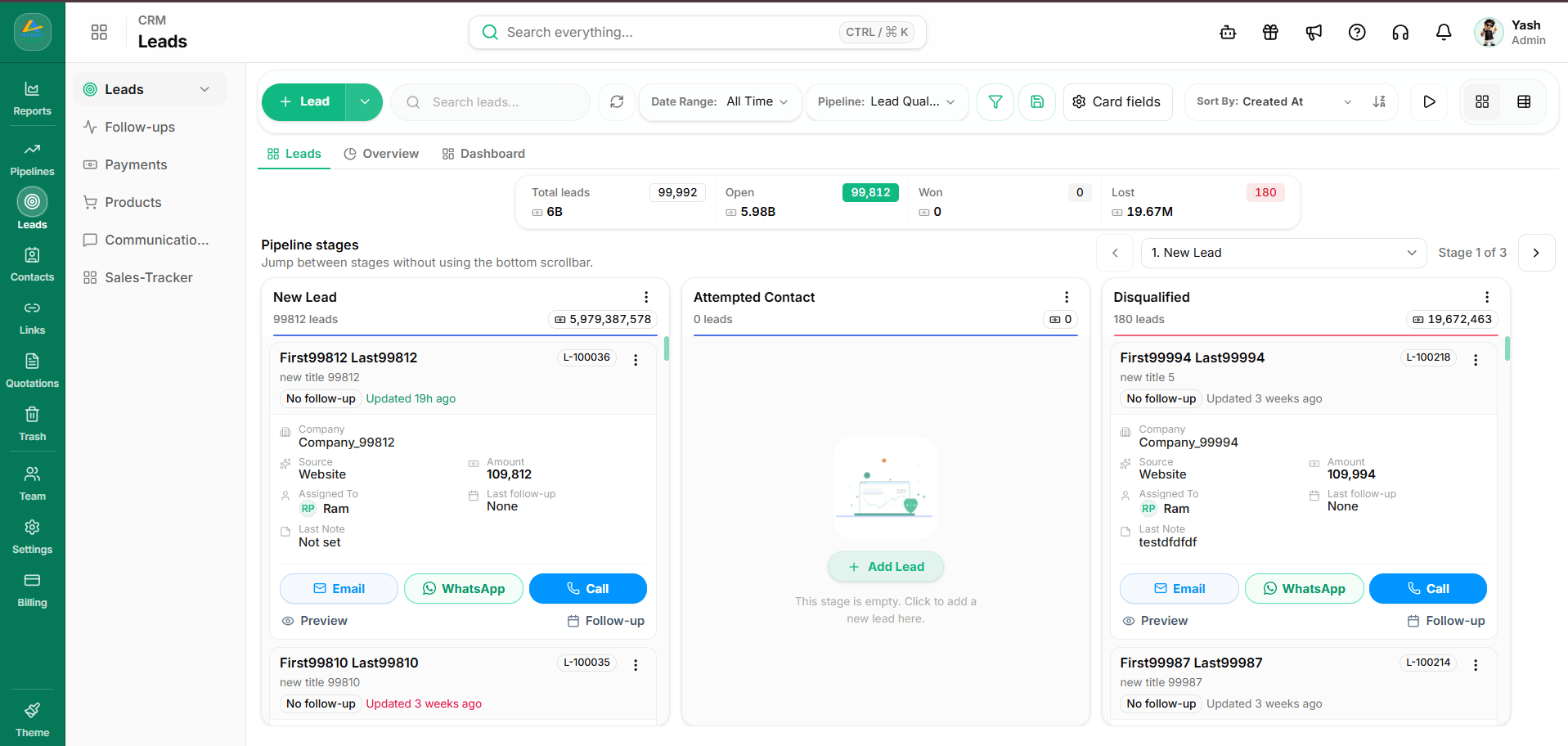
- Pipelines and stages: A pipeline consists of ordered stages (such as “New Lead”, “Contacted”, “Proposal Sent”, and “Won”).
- Stage assignment nuance:
- When creating a lead via the API, you specify the target stage name using the
stage_nameparameter (for example,"stage_name": "New Lead"). - When updating an existing lead to transition it to another stage, you must specify the stage identifier using
stage_id.
- When creating a lead via the API, you specify the target stage name using the
- Assignment: Leads can be assigned to specific team members using their user identifier (
assigned_to). - Marketing attribution: Each lead record can store Meta and web campaign attribution (
utm_source,utm_medium,utm_campaign). - Tags and custom fields: Enrich leads with searchable tags and structured custom field values defined for your workspace.
Supported workflows
- Inbound lead capture: Create leads automatically from web forms, landing pages, or external marketing systems.
- Pipeline progression: Move deals across stages as sales conversations advance.
- Owner reassignment: Distribute leads dynamically among sales representatives.
Related API operations
- List leads: Paginate and search leads.
- Create lead: Add a new deal with
stage_name. - Update lead: Modify lead attributes or update stage using
stage_id. - Lead custom fields: Define custom fields specific to leads.
- Lead follow-ups: Schedule reminder tasks for leads.